- Delivery Method Online
- Professional Certificate
- 24hrs Suggested Study Time
- 3 Months Access
- Tutor Support
- Study On Any Device
- 2884 Students
Explore a Career in Interior Design
Now Only
$389
AUD
35% off
$599 AUD
Quick Facts
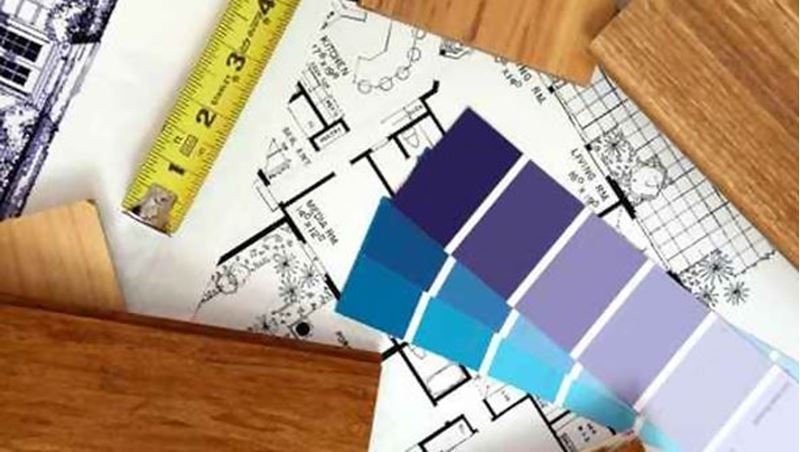
Explore a career in interior design as you learn how to transform any room into a beautiful and functional space.
Are you a creative person with an eye for design? If so, this course will show you how to transform plain living spaces into beautiful and functional rooms.
Interior design takes training as well as talent, and these lessons will give you the know-how you need to design a room from floor to ceiling. You'll delve into colour theory, industry trends, spatial arrangements, floor plans, traditional and modern interior design ideas, and other basics. In addition, you'll explore a range of careers in interior design and get insider tips for entering this exciting field.
Because interior design is constantly evolving, you'll also learn about some of the latest trends affecting the industry. You'll investigate ""green"" sustainable design, and you'll find out how to modify your designs for people with special needs.
As you master design skills step-by-step, you'll complete your first project: a fully developed room design complete with spatial layout, lighting, and finish selections. Your new knowledge and hands-on practice will give you the confidence you need to start creating beautiful residential interiors for yourself and others.
Courses are delivered to you through expertly executed lessons, online instruction and interaction with like-minded students. Our courses are designed to deliver all of the benefits of studying in a classroom whilst giving you the flexibility to study at a time and place to suit your needs. You can access your classroom 24/7 from any device with an internet connection.
This course has a 3 month duration. You'll complete comprehensive lessons, quizzes and assignments before submitting your final exam at the end of the course to achieve your certificate. Courses must be completed within the 3 month access period.
<p>This first lesson will open your eyes to all the career possibilities available to you in the world of interior design, and particularly in the realm we'll be focusing on: residential design. You'll explore the wide range of opportunities and challenges you'll encounter as you design these spaces, whether you're creating a comfortable family room or outfitting a sleek urban penthouse. Then you'll take a look at the other side of design, the commercial sphere, where interior designers create everything from exclusive boutique hotels to Madison Avenue retail storefronts. This lesson also explains the differences between interior design and interior decoration so that you can choose the discipline that suits you best. By the end of this lesson, you'll be familiar with many types of careers you probably never knew existed. With this introduction, you'll be on your way to becoming part of the design community.</p> <p><strong> </strong></p>
In Lesson 2, I'll introduce you to the specialized drawing tools interior designers use to help them create and present their designs. Then we'll explore some fundamental concepts—the elements of design—that will serve as the building blocks of all the compositions you create. Finally, we'll review the principles of design—guidelines for combining these elements into beautiful compositions. If you already feel confident in your abilities to design, this lesson will give you a checklist to make sure your designs work visually. And if you're a bit nervous or insecure about creating your designs, these skills will provide a safety net to assure that your designs are harmonious and beautiful.
This lesson takes you on a journey throughout the past and present, and prepares you for your future designs as we explore a plethora of design styles. We begin in the Renaissance in Italy and move throughout Europe, from England to Germany, and learn about the progression of interior spaces into the modern age. We then discover the latest trends of today and see which styles are the most popular in cutting-edge homes. And finally, we go around the world and look at how our global world and unique cultures can help us create unique styles we can incorporate into homes today.
In Lesson 4, we'll be covering one of my favorite topics of interior design—color! We'll start off by briefly exploring the science behind color and why we see the way we do. Then I'll show you a tool to help you start building harmonious color palettes. Next, we'll take a look at some of the surprising things that can happen when you put the wrong colors together. By knowing about these unexpected optical illusions, you'll be able to prevent mistakes in your own designs. And finally, you'll learn about the various cultural associations people have with color and discover how you can influence the mood of others through the colors you select for your designs.
As an interior designer, you can let your imagination run wild—but how can you make sure that the ideas in your head materialize in the space you're designing? That's where architectural drawings come in. They communicate the designer's vision to the clients, the contractors, the architect, and others. In this lesson, you'll get an overview of the kinds of drawings interior designers use throughout the design process. You'll learn to identify and read various types of technical drawings, including floor plans, elevations, sections, and details. Then you'll explore drawings in three-dimensions as we discuss axonometric, one-point, and two-point perspective presentation drawings.
Sharpen those pencils because this lesson is going to get down to the nitty-gritty of design. We're talking feet and inches as we look at the guidelines and standard measurements that are the industry-wide rules of thumb when planning spaces. Before you can think three-dimensionally, you've got to start with a simple piece of paper and an architect's scale and make sure that you can get all the necessities to fit within a space—where they're comfortable without being tight and spacious without feeling empty.
So, your space is all laid out. But your clients won't be living in a graph paper world! In this lesson, we'll be exploring the various types of materials available you can use to achieve beautiful interiors. We'll be looking into a wide range of finishes, which include natural materials (including stone and wood), synthetic materials (tile, laminate, and resilient flooring to name a few), and carpet. By the end of this lesson, you'll have the knowledge to start transforming your pencil-and-paper notions into a full-color, textural space!
As an interior designer, you'll spend a lot of time dealing with textiles. Fabrics, after all, cover our interior world—from bedding to window treatments to upholstery. In this lesson, you'll get an introduction to the various types of fibers available, as well as their various strengths and weaknesses, so you can make best selections for each application. After mastering the various types of textile goods, you'll take a closer look at where you'll be using these fabrics, starting with the various styles of bedding and pillows. You'll finish up the lesson with windows—or, more precisely, window treatments—and get some pointers on how to successfully design draperies that will beautifully frame the transition between your stunning interior design and nature's beauty of the outdoors.
Light is one of the most important but also one of the trickiest elements to get right in an interior space. This lesson will explain the psychology behind good lighting design and help you create the right effect in your space while making it visually interesting without becoming overwhelming or flat and dull. You'll also become familiar with the various types of light fixtures available to use in your designs and learn how to select from the many types of artificial light sources available on the market today.
With the implementation of the Americans with Disabilities Act, barriers were literally removed, allowing a previously excluded population access to spaces meant for everyone. In this lesson, you'll explore how to incorporate some of the requirements of this act into the home, creating spaces that allow retirees to age gracefully in their homes. And for users with more specific disabilities, you'll learn how to adapt their spaces to allow them to maintain their independence through your design choices.
Increasingly, people in the world are becoming aware that we have limited resources at our disposal. Many in the interior design industry are pioneering new ways of designing that look at the life cycle of a product and consider the environmental implications. In this lesson, you'll learn about green design, which is the art of creating beautiful spaces that are efficient in their use of energy and natural resources. You'll learn about various types of green certification so you aren't mislead by false claims and explore specific things you'll want to consider when dealing with certain types of products.
In this lesson, the course culminates with practical advice on how to set up and run your own interior design business. You'll get some suggestions on how to set up your studio by determining the legal business structure, advice on how to look the part, and practical recommendations for outfitting your space. Then, you'll move on to the fine art of getting and serving clients, including suggestions on marketing yourself and setting your pricing structure so you can make money doing what you love. Finally, I'll offer some advice as you navigate the construction process with your contractors, clients, and vendors.

Sarah Smallwood
Sarah Smallwood is a licensed interior designer and design strategist. She has a bachelor’s degree in interior design and a minor in architecture and is currently pursuing her MFA in Design Management. Sarah’s passion lies in the ... Read more
Read Sarah Smallwood's ProfileFrequently Asked Questions
Once you've made the payment, we'll send you a confirmation email with a link to start your course. Feel free to get started whenever you're ready!
You'll have 3 months access to your course. In that time you are free to study at your own pace. The course duration is 24 hours.
Online learning is a flexible way to study that fits around your schedule, giving you the freedom to learn at your own pace from anywhere in the world. You'll have 3 months to complete the course and can take the multiple-choice questions and final exam whenever it suits you.
If you need help, you can contact us anytime. You can also join the discussion area where you can interact with other students. The discussion area for each lesson is open for the entire duration of the course.
Of course! We offer a 7-day money back guarantee. As long as you haven't completed the course, you can get a full refund within 7 days of enrolling.
We do not offer extensions or transfers for this self-paced course. However, you will have 3 months to complete the course, and if you need to cancel within the first 10 days of enrolment, we offer a money back guarantee.
What people are saying about our courses
The Learning Environment
From the moment that you enrol in the Explore a Career in Interior Design you will become an integral part of our learning community. You'll find yourself with the freedom to learn at a speed that suits you, on any device, from anywhere in the world. Achieving your career goals no longer has to mean compromising family and work commitments.
Ready to get started?
Enrol NowOur Values
Learn At Your Own Pace
We believe in personalised learning. That's why we provide all the tools and support you need to succeed at your own pace. With flexible learning, you'll stay motivated and retain more information. Plus, you can balance your studies with work and family commitments to make your dreams a reality.
We Won't Break The Bank
Education should be accessible to anyone who wants to learn. That's why we offer some of the most competitive prices in the industry with payments plans for just $25 per week. Investing in your future is a smart choice and doesn’t have to break the bank.
Industry-Led Courses
There's no better way to learn than from experts with years of experience in your field. That's why each of our 200+ industry-led courses are designed to give you a real-life perspective on your industry. With our expert mentors, you'll learn from people who have a wealth of knowledge and experience, and who are passionate about sharing it with you.
Get The Personal Support You Deserve
At Vibe Learning, we're real people who are dedicated to providing you with personal support every step of the way. Our industry experts are not only professional and knowledgeable but also incredibly passionate about sharing their expertise with you. With their guidance, you'll gain invaluable insights and practical knowledge to help you succeed.
Still looking?
Check out the following courses related to Explore a Career in Interior Design: